
Haunted havoc is a group project I made with 4 other students in DAE. In this post I show our progress and what I did for this project. If you want more general info about project read more on the itch.io page
This project was completed over the course of 12 weeks, with each team member contributing around 10 hours of work per week.
The Idea
Our idea was a fun, chaotic and skilled brawler game that is played in very short matches. We quickly came to an agreement that a twin-stick shooter game would fit our idea perfectly.The theme we wanted was spooky. That is why we choose for a cemetery as map, necromancers as players and ghosts as ammo in our game.
The game plays as followed:
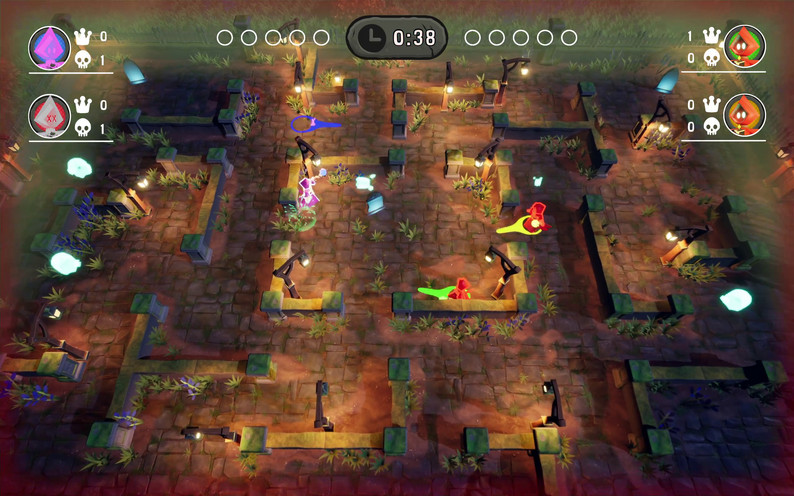
Each match starts with two teams, who spawn into a haunted cemetery. To win, you must collect ghosts and blast them at the enemy team but here’s where the havoc begins!
- Hit an opponent with a ghost? They get knocked out of their body and become a wandering spirit.
- Players can revive fallen players by sucking up their ghost and shooting them back into their body.
- Opponents, however, can steal your soul if they absorb your ghost and fire you, it’s game over for you!
- Last team standing wins the round, and the first team to win a set number of rounds claims victory.
At the end of each round, The Losing team receives a powerful upgrade to enhance their abilities.
My contributions to the idea are mostly the mechanics. I came up with the idea that shot players are also turned into a ghost and that you can revive the player by collecting their ghost and shooting it back in to their fallen body. The player ghost also being a upgraded bullet that makes an explosion was my idea. The collecting of ghost was also my idea that I took inspiration from luigis mansions.
Prototyping
The first 3 weeks were prototyping and researching. In these 3 weeks I made multiple prototypes in 2 engines: Unreal Engine 5 and Unity 6.
Shooting and dying prototype Unity:
This prototype was not easy to make, because a lot happens in this small interaction. First, we have movement: two players can move using the controller’s left stick. With the right stick, a player can aim, and then shoot using the right trigger. When shooting, a bullet spawns and moves in the direction the player was aiming. If that bullet collides with another player, the hit player dies and a ghost version of them spawns with a velocity in the direction of bullet hit. The ghost is then controllable by the eliminated player.
This prototype tests how it feels to aim and shoot a bullet and also tests how it feels to die. Lots of variables can be tested with this prototype such as. How fast can you shoot, How far back do you get launched when you die, How long does is take to shoot, …
Collecting ghosts prototype Unreal Engine:
This prototype was easier to make because a lot of things are already provided by unreal. I used the top down template so I could instantly start working on the mechanic that I wanted to prototype. Collecting ghosts, In this prototype a player can collect a ghost by knocking the ghost with a press on the left shoulder button. The ghost is then knocked back and sucked back in to be collected.
This prototype test how it feels to collect ghosts. The variables that can be changed are: how far the ghost gets knocked back, how far you can collect from, how long it takes to collect a ghost, …
After some playtesting and feedback from our supervisors, we determined that knocking back a ghost makes it harder to play and less enjoyable.
Gameplay prototype Unreal Engine:
This prototype was made together with my fellow programming student. I made the shooting, collecting and ghost spawning mechanics, and he made the reviving mechanic. At this point, we decided to go for Unreal Engine as our game engine. One of the main deciding factors was how Unreal uses controllers that possess pawns/characters, and that was something very useful for transferring the player controller from the player character to the ghost character and back to the player character. One of our artist team members made a test layout that we used for testing our mechanics.
This prototype mainly tests how the full gameplay loop feels, from collecting a ghost, to shooting an enemy, to finally reviving a player. After we created this prototype, we felt confident, because it proved that our idea works.
Zoom prototype Unreal
To increase intensity and to shorten rounds. We came up with the idea of a closing border. I came up with the idea to zoom in with the camera and to use the screen as the border. When player walks of screen it dies with it ghost being send to the middle. a player that dies because of the border can no longer be revived in their own body because that body lays of screen. I prototyped this after we made the full gameplay prototype so It can be tested with the gameplay in mind.
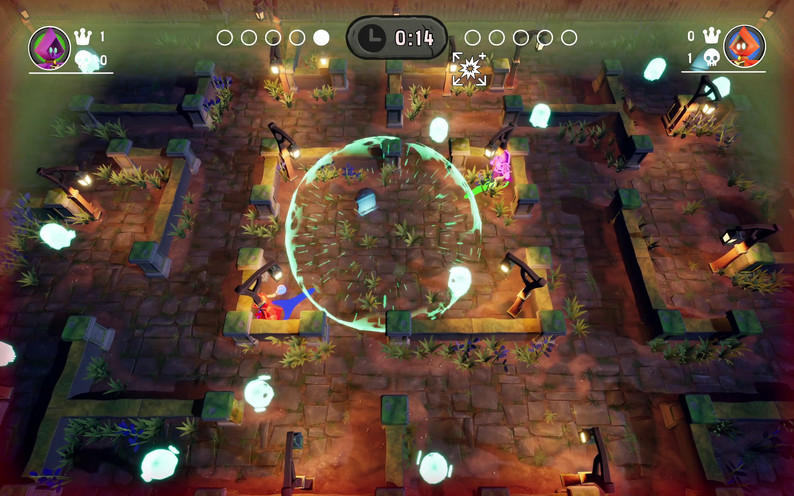
This prototype tested how we could increase the game’s intensity. We experimented with different variables to improve the experience: how fast the camera zooms, when the camera zooms, and where the killing border is set (for example, whether players can walk slightly off-screen or not).
Production part 1
After 3 weeks of prototyping we started production for 3 weeks. Since I prototyped most of the mechanics, I started first working on making a full gameplay loop. Meaning start menu, team selection, game and then finally end screen.
After the full loop was done, I started working by now fully implementing the gameplay mechanics. So I added shooting, collecting, camerazoom, reviving and teams. My programming team member added behavior to the ghost so they start moving around the map making the game more dynamic.
Implementing all these mechanics and game loop took us 3 weeks so after our first production sprint we had a fully working gameloop where players could play 1v1 or 2v2.
Production part 2
Before we started production sprint 2, We playtested our game in a local play testing session organised by the city. After gathering feedback our game and discussing things with our supervisors. We saw that our game was lacking player feedback. Meaning things the player can see, feel and hear while playing to know what is going on.
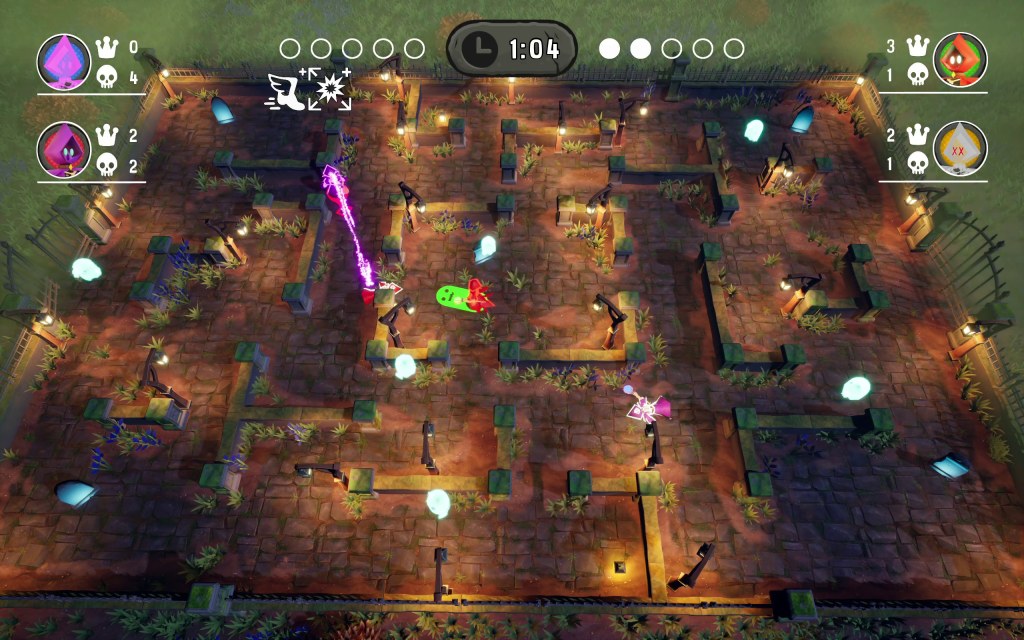
One of our artist made aiming arrows to show where the player was aiming and if the player had a bullet. I implemented the arrow to show correct information. I also implemented individual colors and team colors to clearly see what player you are controlling. I also implemented quite a lot of UI to such as displaying the amount of kills and death for each player with also a timer and round counter that shows how many rounds a team has won.
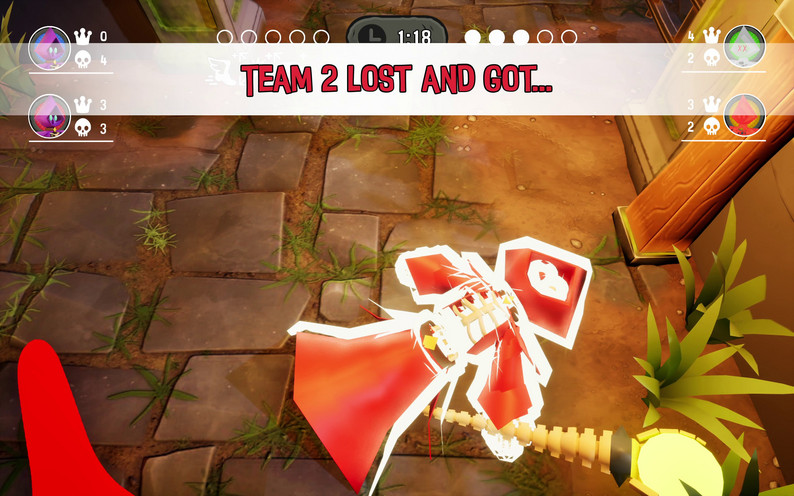
To better show what is happening at the end of the round. I implemented a fast camera zoom, that puts the game in slow motion. The camera zooms to the last player dying to show who died. After the zoom a screen pops up with what team has won.
After implementing most player feedback we had time enough to add another gameplay mechanic. Upgrades!, After each round the losing team gets 1 random upgrade of 4. We wanted to add this system to make to losing team catch up with the winning team. The following upgrades were added:
- Faster projectiles speed
- Larger explosion
- Bigger bullets
- Faster movement speed
Me and my fellow programmer implemented a system to easily add a upgrade to a team that gets applied at the correct time. I implemented the largers explosion upgrade and faster movement speed.
To further improve the player feedback I also implemented controller vibrations and camera shake. The controller vibration was something fun to implement. When collecting a ghost the ghost moves along a curve a remade that curve for the vibration making the interaction of collecting the ghost feel even better. Firing bullets have so much more impact with the addded camera shake and controller vibrations.
Polishing
For the final 2 weeks we did some more playtesting for balancing the game and adding the final touches. I implemented an extra aiming arrow to show that the player is holding another player. I also implemented a fog border to better show that the border of screen is dangerous and should be avoided.
What I’ve learned
While making this project, we ran into multiple issues and made some mistakes, and I learned a lot by making these mistakes. This was my second time using Unreal for a project, and this was the first time making a full original game and not a prototype or copy of an existing game. The main thing I learned making this project is how important it is to write clean, reusable, and easy-to-read code. I made the mistake of implementing too much functionality into one class instead of splitting it up into multiple classes. From now on, I understand the importance of splitting functionality and using components in Unreal. This project has shown me how easily something can get cluttered if you keep adding things without looking at it from afar. Another thing I learned is to write code as if it is already the final code. I made the mistake of thinking that I would make it better or easier to read in the future, but I ended up never rewriting the code.
After this project, I learned how to work in a team and have useful discussions. I learned how to work on code with multiple people, each with their own “style.” I learned how to communicate effectively and how to plan my work around the dependencies of other team members.
Results
 Ryan Mus